have 8 million things to do very soon and I can tell that I’m riiiiiight on the edge of a depression spiral (which is itself at least partly caused by being overwhelmed, dealing with it poorly and becoming more overwhelmed, and hating myself for dealing with it poorly) which is SUPER GREAT TIMING. so obviously I’m making a list, because sometimes that helps.

things I absolutely must do this weekend:

  • finish the hair repaint on my current Etsy order so I can mail it Monday or earlier
  • do anything I might need to do for the other outstanding order that the customer also wants in time for Christmas somehow, so that when the parts arrive on MONDAY I can put the thing together and mail it almost immediately (damn well better show up on Monday, which is itself irritating because the site said free 2-day shipping but nobody really means that when they ship to Alaska)
  • wrap and prepare any gifts I want to mail out because I should also send those no later than Monday, and in fact earlier would have been better, but for some reason every year I’m like “eh, it’s fine, there’s time” right up until there suddenly isn’t
  • do…whatever I still need to do with Tumblr. import to WordPress, back up the whole thing to my computer with one of several methods I’ve reblogged, try to find specific posts I want to save (original posts and anything tagged “fic ideas” will be tedious but at least easy to find; no idea about other stuff)
  • semi-related: add something to my Dreamwidth profile so it’s not…blank
  • haul some more stuff to Value Village and other donation sites, because I’m about to pick up a bunch of shit that will take up too much space in my car (somewhat related: books, music, movies, and toys are 40% off today and tomorrow, which is unusual for them)
  • set up the damn tree, like even if we don’t put ornaments on it I’d at least like to have the tree up (requires digging it out of the garage, which is a disaster and very much not my disaster)
  • do something with my dad and sister for my birthday (but first, figure out what and when, and like…I don’t have the mental energy for that)
  • try to get more birthday donations for SPLC (I went with Trevor Project last year and got several donations without doing much to promote it, so I don’t know if this one’s getting a lot less because it seems more political, or algorithms are hiding this and a lot of my other posts, or a lot of people have deliberately snoozed me because of my political posts, or…something else, idk)
  • transfer stuff into my new planner, because my current one is close enough to the end that it’s not very useful anymore

other things that don’t necessarily have to happen this weekend but should happen in the really near future, both because they need to get done and because they’re contributing to my overall mental load that means everything is overwhelming:

  • figure out how to send in the claim for my car accident last year to my life-insurance-and-a-few-other-things company, because it’s worth $50 (should probably also see if I can get something similar for the earthquake, because I think it did fuck up my neck a little more, and $50 is $50 when I’m paying them that much each month)
  • list other things on Etsy…now that it’s too late to take advantage of holiday sales 😖
  • sign up for actual training with Hazy
  • also, bug the rescue group again about recent vet info to figure out whether she has any pre-existing conditions and when she needs a checkup (maybe soon, because she seems to scratch herself a LOT and sometimes she gets kind of wheezy)
  • also also, try to figure out ways to work on her separation anxiety and general hyperness, which I DON’T KNOW HOW TO DO because it’s all a gradual process that I don’t really have time for, and I have yet to find a smart/puzzle toy or a good chew toy that really seems to occupy her attention so I guess I still need to try more, and apparently mental stimulation through training can be good for anxiety and hyperactivity both so I should really be working on extremely basic commands on my own probably??
  • shit that’s right I also need to figure out if I want to get her on VCA Care Club and do research for pet insurance that might be better than the one we had for Scully
  • get myself back into a better Planet Fitness habit, because I didn’t go at all this week and I’ve definitely dropped off in the last few weeks, which is partly because I’ve been busy with other things INCLUDING THE GIANT EARTHQUAKE but partly because the main reason I was good about it before was that I literally tricked myself into wanting to work out so I could listen to The Adventure Zone, and once I caught up on that, nothing else I’ve tried (MBMBAM, occasional TAZ updates, Night Vale) has quite filled the gap of “hilarious goofs + suspenseful long-form narrative” that makes me actually want to work out, so…either I need to figure out how make myself go without that motivation (mixed success so far or I wouldn’t be talking about it or feeling guilty about it) or find another podcast I want to binge. and try to figure out if there’s any point to asking them to stop playing so many news channels (especially Fox two or three times and fucking OAN once) at the TV bank for the cardio machines, because that is…honestly another thing that makes me not want to go
  • related: somehow find a way to make myself do my core exercises regularly, because slacking on those and slacking on Planet Fitness is probably part of the reason my headaches and neck and general constant exhaustion have maybe been worse lately, AND ALSO start regularly doing the exercises that are supposed to help with my newish hand/wrist pain, all of which sucks because a big ol’ theme here is me having a hard time forming un-fun new long-term habits (exercise, going to bed earlier) that are crucial for improving basically every part of my life and not worsening the health problems i already have
  • TYPE UP MY DAMN NOTEBOOKS and organize everything so I actually know how much I have in my current WIPs; now that my computer is back there’s no excuse for not doing this
  • also like…write. in general. now that I have a Christmas-related idea I’d kinda like to do and I also want to do a Yuletide treat, and maybe Avengers: Endgame isn’t really a deadline for lots of other fics but also it kind of is
  • actually organize my backups so they’re not a disaster and it’s not a crisis next time I have computer problems (plus like, I’m going to need everything backed up when I upgrade)
  • research and buy a CPU, motherboard, SSD, and maybe new PSU, ideally without spending a horrendous amount of money
  • make more progress in SWTOR because there’s no guarantee how long it’s going to be around and tbh it’s ridiculous I haven’t finished all the class storylines despite having been a subscriber for like. SEVEN YEARS
  • unfuck my iTunes library YET AGAIN
  • find a therapist, because I’ve probably been needing one for a while but a huge theme in all of this is being overwhelmed because I have too much to do and don’t know how to deal with it, and then getting into guilt and self-loathing because I dealt with it badly and it got worse, and I’m increasingly sure it’s my not-really-diagnosed-or-treated ADHD starting this old, old cycle to begin with and that means it’s even more important to find a therapist who will actually. do stuff. with the ADHD. instead of just kinda…dropping it.
  • slight problem though, adding yet another regular appointment means less time for…everything else and that doesn’t exactly help with being overwhelmed, so it’s like…a disincentive to pursue it

the only thing I really want to do:

  • sleep for about a year

Archive your fandom stuff

gothiccharmschool:

flamingoslim:

fuckyeahisawthat:

bethagain:

thebyrchentwigges:

thebyrchentwigges:

As we sit on the cusp of changes to the Internet, after your other activities to support Internet freedom, archive your
fandom stuff.

Save the electronic files of your favorite online fandom works. Consider print-outs of your favorite online
material. And save paper
ephemera from fandom events.

Why save? Because you put the effort into a fanwork. Because you may be surprised when a fandom stays alive for years, or gets revived, or when an academic asks to cite your work. Because it’s stupidly hard to find items on Tumblr. Because, lo, in ages past, many fandom archives have risen and fallen, taking favorite fics off the ‘Net. Because it made you happy, makes you remember. Because you never know.

What can
you save?

  • Fanart
  • Stories you wrote
  • Epic comments on stories you wrote
  • Stories you love that other people wrote
  • Meta and meta-related discussions
  • Translations others did of your works

  • Physical items: paper ephemera, clothing, accessories, art prints and drawings.

Behind the cut…saving from Tumblr and AO3, delving into lost web sites, how to save computer files for the long term, and why I’m glad I saved physical fandom items from 10+ years ago.

Keep reading

I made this post a year and a half ago. Please read the many comments in the reblogs from archivists and long-term fans!

Signal boost.

Time for this post again!

I beg you, if you love something, some fic, some art, for God’s sake, SAVE IT! In Starsky and Hutch we have 40+ year old zines we’re still saving and photocopying and sharing around, archiving when we can find the writers and get permission. In Star Trek, they have even older ones. They’re precious. The fics that have disappeared from the net can be lost forever. The Wayback is great but it doesn’t get everything. SAVE THE FICS. SAVE THE ARTS. Trust me. You’ll be glad you did.

SAVE. FANDOM. HISTORY.

24 Invaluable Skills To Learn For Free Online This Year

the-more-u-know:

Here’s an easy resolution: This stuff is all free as long as you have access to a computer, and the skills you learn will be invaluable in your career, and/or life in general. 

1. Become awesome at Excel.

Chandoo is one of many gracious Excel experts who wants to share their knowledge with the world. Excel excellence is one of those skills that will improve your chances of getting a good job instantly, and it will continue to prove invaluable over the course of your career. What are you waiting for?

2. Learn how to code.

littleanimalgifs.tumblr.com

Perhaps no other skill you can learn for free online has as much potential to lead to a lucrative career. Want to build a site for your startup? Want to build the next big app? Want to get hired at a place like BuzzFeed? You should learn to code. There are a lot of places that offer free or cheap online coding tutorials, but I recommend Code Academy for their breadth and innovative program. If you want to try a more traditional route, Harvard offers its excellent Introduction to Computer Science course online for free.

3. Make a dynamic website.

You could use a pre-existing template or blogging service, or you could learn Ruby on Rails and probably change your life forever. Here’s an extremely helpful long list of free Ruby learning tools that includes everything from Rails for Zombies to Learn Ruby The Hard Way. Go! Ruby! Some basic programming experience, like one of the courses above, might be helpful (but not necessarily required if you’re patient with yourself).

4. Learn to make a mobile game.

If you’re not interested in coding anything other than fun game apps, you could trythis course from the University of Reading. It promises to teach you how to build a game in Java, even if you don’t have programming experience! If you want to make a truly great game, you might want to read/listen up on Game Theory first.

5. Start reading faster.

Spreeder is a free online program that will improve your reading skill and comprehension no matter how old you are. With enough practice, you could learn to double, triple, or even quadruple the speed at which you read passages currently, which is basically like adding years to your life.

6. Learn a language!

With Duolingo, you can learn Spanish, French, Portuguese, Italian, or English (from any of the above or more). There’s a mobile app and a website, and the extensive courses are completely free.

Full disclosure: BuzzFeed and other websites are in a partnership with DuoLingo, but they did not pay or ask for this placement.

7. Pickle your own vegetables.

Tired of your farmer’s market haul going bad before you use it all? Or do you just love tangy pickled veggies? You too can pickle like a pro thanks to SkillShare and Travis Grillo.

8. Improve your public speaking skills.

You can take the University of Washington’s Intro to Public Speaking for free online. Once you learn a few tricks of the trade, you’ll be able to go into situations like being asked to present at a company meeting or giving a presentation in class without nearly as much fear and loathing.

9. Get a basic handle of statistics.

UC Berkeley put a stats intro class on iTunes. Once you know how to understand the numbers yourself, you’ll never read a biased “news” article the same way again — 100% of authors of this post agree!

10. Understand basic psychology.

Knowing the basics of psych will bring context to your understanding of yourself, the dynamics of your family and friendships, what’s really going on with your coworkers, and the woes and wonders of society in general. Yale University has its Intro to Psychology lectures online for free.

11. Make your own music.

Step one: Learn how to play guitar: Justin Guitar is a fine and free place to start learning chords and the basic skills you’ll need to be able to play guitar — from there, it’s up to you, but once you know the basics, just looking up tabs for your favorite songs and learning them on your own is how many young guitar players get their start (plus it’s an excellent party trick).

Step two: A delightful free voice lesson from Berklee College Of Music.

Step three: Have you always thought you had an inner TSwift? Berklee College of Music offers an Introduction to Songwriting course completely for free online. The course is six weeks long, and by the end of the lesson you’ll have at least one completed song.

Step four: Lifehacker’s basics of music production will help you put it all together once you have the skills down! You’ll be recording your own music, ready to share with your valentine or the entire world, in no time!

12. Learn to negotiate.

Let Stanford’s Stan Christensen explain how to negotiate in business and your personal life, managing relationships for your personal gain and not letting yourself be steamrolled. There are a lot of football metaphors and it’s great.

13. Stop hating math.

If you struggled with math throughout school and now have trouble applying it in real-world situations when it crops up, try Saylor.org’s Real World Math course. It will reteach you basic math skills as they apply IRL. Very helpful!

14. Start drawing!

All kids draw — so why do we become so afraid of it as adults? Everyone should feel comfortable with a sketchbook and pencil, and sketching is a wonderful way to express your creativity. DrawSpace is a great place to start. (I also highly recommend the book Drawing on the Right Side of the Brain if you can drop a few dollars for a used copy.)

15. Make your own animated GIF.

BuzzFeed’s own Katie Notopoulos has a great, simple guide to making an animated GIF without Photoshop. This is all you need to be the king or queen of Tumblr or your favorite email chains.

16. Appreciate jazz.

reddit.com

Have you never really “gotten” jazz? If you want to be able to participate in conversations at fancy parties and/or just add some context to your appreciation of all music, try this free online course from UT Austin.

17. Write well.

Macalester College’s lecture series is excellent. If you’re more interested in journalism, try Wikiversity’s course selection.

18. Get better at using Photoshop.

Another invaluable skill that will get you places in your career, learning Photoshop can be as fun as watching the hilarious videos on You Suck At Photoshop or as serious as this extensive Udemy training course (focused on photo retouching).

19. Take decent pictures.

Lifehacker’s basics of photography might be a good place to start. Learn how your camera works, the basic of composition, and editing images in post-production. If you finish that and you’re not sure what to do next, here’s a short course on displaying and sharing your digital photographs.

20. Learn to knit.

Instructables has a great course by a woman who is herself an online-taught knitter. You’ll be making baby hats and cute scarves before this winter’s over!

21. Get started with investing in stocks.

If you are lucky enough to have a regular income, you should start learning about savings and investment now. Investopedia has a ton of online resources, including this free stocks basics course. Invest away!

22. Clean your house in a short amount of time.

Unf$#k Your Habitat has a great emergency cleaning guide for when your mother-in-law springs a surprise visit on you. While you’re over there, the entire blog is good for getting organized and clean in the long term, not just in “emergencies.” You’ll be happier for it.

23. Start practicing yoga.

Most cities have free community classes (try just searching Google or inquiring at your local yoga studio), or if you’re more comfortable trying yoga at home, YogaGlohas a great 15-day trial and Yome is a compendium of 100% free yoga videos. If you’re already familiar with basic yoga positions but you need an easy way to practice at home, I recommend YogaTailor’s free trial as well.

24. Tie your shoelaces more efficiently.

It’s simple and just imagine the minutes of your life you’ll save!

Resizing images for phones at ao3

cesperanza:

Went out to brunch with @elizabethminkel​ who didn’t know that you could resize images at the ao3 so that they don’t look insane on a phone, which I didn’t know how to do either until @albymangroves​ taught me, so at her request I pass on alby’s excellent directions for anyone looking to put art on the a03 and not have it look terrible.  Basically you have to make a work skin, which is easier than it sounds:

* go to your AO3 dashboard and look at the left sidebar–the last option
in the top grouping (after Dashboard | Profile | Pseuds | Preferences)
is “Skins” and clicking that will take you to a screen where you can click
the button that says “My Work Skins.”

* Under “My Work Skins” if you don’t have any set up yet it will have a
link that says something like “Why not try making one?” and you can click
there to get the form. Name it something useful and obvious like “Resize
images for Speranza’s works” and then paste in this little piece of code in the CSS box:

#workskin img {
 max-width: 90%;
 height: auto;
}

*Then scroll down to “Submit” the skin. After that, it should be
available in the drop down next to Select Work Skin whenever you go to post a
new work (or edit an existing work, if you forget to do it when you first
post!) 

This particular version of the code, as you can see, tells it to scale the
image to 90% of whatever the screen size is, with the height scaling
automatically along with width so the image doesn’t get squished or stretched.
You can set that percentage to a slightly different number, but
90% works pretty well!

dragonologystudent:

thelogicalloganipus:

secretladyspider:

secretladyspider:

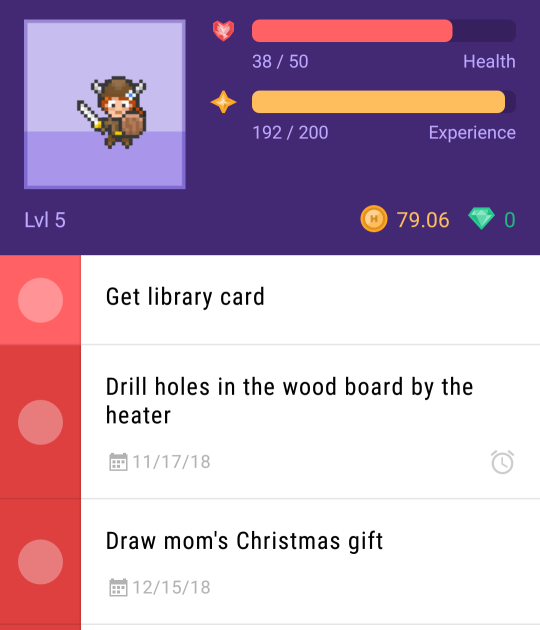
Yo ADHD folks are you looking for an app to help you remember to get stuff done?

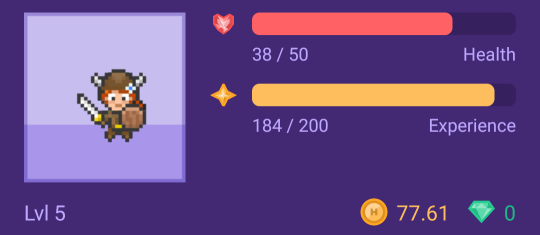
Because if so I’d like to recommend Habitica!

You make a little avatar of yourself!

Totally customizable!

And!!! If you’re wheelchair bound, guess what! Wheelchairs for your avatar are free! Check it out!

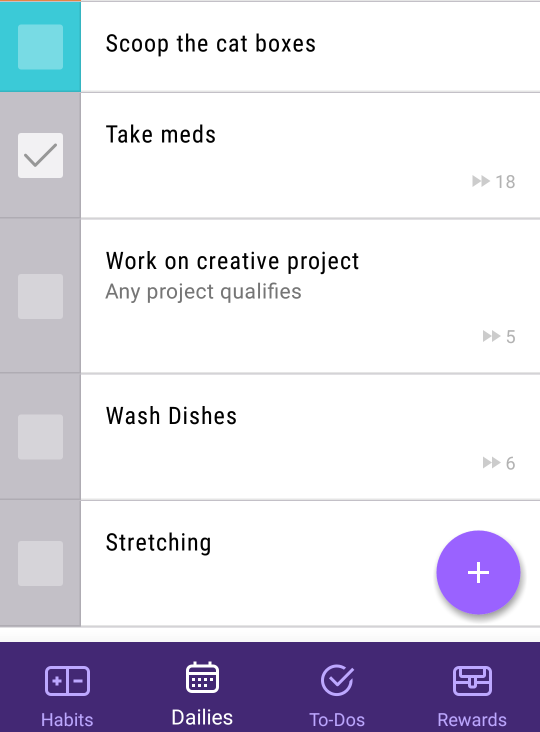
You have the categories of Habits, Dailies, and a To-Do list

And every time you check something off, you get health and XP!

Huzzah! I leveled up!

Use your XP to buy items and rewards!

I’ma give my little avatar a new helmet!

You also can get little pets!

I hatched a dragon!

Go on quests!

Need a break? Check in at the Tavern for as long as you need!

It’s a habit tracker and to-do list… As a video game!

And here’s the best part – ITS FREE!

I have gotten so much better at getting things done because when I do I get to check in and get a reward right then! It really works for my ADHD brain so, so much better than just a regular ol checklist and I just really recommend checking it out!

For my fellow ADHD Famders, since I know there are so many of us!

It’s really helpful, I give it a strong recommend

A blog backup that actually works

spartanburger:

So those of you who are backing up your blog may have noticed that it’s taking ages to actually work.  For me, it took over 48 hours for my backup to be completed.  This is due in part to the servers likely being flooded with backup requests and in part because lol tumblr programming

So I highly recommend using TumblThree:

HERE is a link to the releases page.

HERE is the how to use section on the program.

Basically, download and extract the .zip to wherever you want.  Open the .exe file.

The program will automatically read your clipboard, so if you copy a tumblr url to it, it will automatically add it to the blog list.  When you select a blog, the ‘details’ tab on the right will have some options that you can change, like if you want only images, video, audio, text, conversation, link, answer, quote, and various metadata.  You can also look for specific tags.

image

I would recommend that you select all the boxes like I have above.  

BY DEFAULT, the program downloads all of your posts, including reblogs.  This could increase the number of files downloaded by a factor of 10.  If you do not want reblogs downloaded, untick that box.  

I would also recommend setting a download location.

Each of these settings can be set on a per blog basis.  You do not need to be the owner of the blog to do this.  

If your blog is protected, there are some additional settings you will have to change.  Read through the how to use link above for more details.

To star the process, you need to add your blog to the queue, and also hit the crawl button down below.  Crawl tells the program to begin the content search on a given blog, but only on the blogs added to the queue. 

image

Exodus

culturetrash:

alongthehike:

The time has finally come.
We’re all getting booted from this platform, but we’re a community, and
we’ll rebuild elsewhere.  The current alternative
sites are less than ideal, but maybe one will be suitable, or a new platform
will arise in the coming weeks.

In the meantime, let’s make sure we export everything so that
all our work was not in vain. We suggest a few different ways to do this, to
ensure that nothing is lost.

1.  Send your email to
your favorite blogs to stay in touch.

Our email is: alongthehike@gmail.com

——-

2.  Export a list of
people that you follow, so you don’t forget any names/blogs accounts

While logged in, go to: http://www.tumblr.com/following.opml

This will automatically download a list of people you follow.  You can open the file in Excel.

————

3.  Export your blog/site
within Tumblr.

Go to https://www.tumblr.com/settings/blog/yourblogname

At the bottom click export.
It will take a while to process.
Once ready, click download backup.  Ideally we’ll be able to import these files into another platform, but you should probably do the following steps just in case.

——

4. Download your full site.

This is easy, but will take a while, and probably a few GB’s.

DL: https://www.httrack.com/

Choose the folder to download into.

Enter your site’s URL and run the program.  It will probably take a few hours.

“It allows you to download a World Wide Web site from the
Internet to a local directory, building recursively all directories, getting
HTML, images, and other files from the server to your computer. HTTrack
arranges the original site’s relative link-structure. Simply open a page of the
“mirrored” website in your browser, and you can browse the site from
link to link, as if you were viewing it online. HTTrack can also update an
existing mirrored site, and resume interrupted downloads. HTTrack is fully
configurable, and has an integrated help system.”

——–

5. Download all media from all of your favorite blogs.

TumblThree works great.

Download the file that says application: https://github.com/johanneszab/TumblThree/releases

Open the program and on the bottom left enter your blog’s
URL.  In settings make a new folder to
which the files should be downloaded.  Right click your blog and “add to Queue” then
click “Crawl”.

You can do this with any blog you follow, but it will only
take images, and no comments, tags, etc., hence the need to download your
entire site (and/or other sites) using HTTrack in step 4 above.

Downloading your “likes” is a bit more tricky.

Click settings, then connection, and log in with your Tumblr
credentials.

Add the following URL: https://www.tumblr.com/liked/by/yourblogname

Then add to queue and crawl again.

—-

With these
files/exports we should be able to migrate elsewhere and rebuild our community.  It will be hard to credit everyone for their
work, but we’ll do our best.

If you have any questions on the above just respond here, or
via email.

We’re to be kicked out on the 17th, but it will probably happen
earlier, so the sooner you get started on the above the better.

It’s been a pleasure sharing with you all over the past few
years.

See you in the next place!

ATH

boost

someone-online:

nobodybetterhavethisoneoriswear:

polyglotplatypus:

polyglotplatypus:

im very grateful for the lessons in photography i was taught in stop motion class because just now they made it possible to photograph the stars with my phone in spite of the camera usually not detecting the light of stars because theyre so dim,,,, enjoy these shiny motherfuckers

ok so if everythings normal, your phone camera should have a manual mode (sometimes called pro mode). in it, change the settings of the shutter lag to 20 seconds, then put the phone down on some stable, plane surface and press the photo button (usually when using your camera, the volume buttons can be used as photo button) and let the phone still for the whole 20 seconds. 

(basically the problem with most cameras is that they dont have a very good light sensitivity in the dark, however that doesnt mean they cant detect it at all. the longer the shutter is open, the more light your camera takes in and the more burnt/light your pic will be, so in (literally) dark situations, make the shutter lag longer to get all that light you need! also i said 20 seconds but really you can make it shorter or longer depending on what kinda stuff you want for your stars)

Yes this!

Additionally, adjust your ISO to the highest number (mimics the film used for very low light and low speed images)

And set your shutter speed to the longest time possible (on my phone it’s 10 seconds).

Leave your focus settings on Auto, and if your phone camera has a timer option, turn that on (five seconds is generally enough).

Plan your shot first, then find a place to set your phone down so you can get the image you want. The less light pollution, the better; you’ll pick up FAR more stars in your picture.

Once you know what you want to shoot, tap your screen to “focus” it, then hit the button to take the picture, set your phone down, and back away from the “tripod”. Don’t touch your phone for a good 15 seconds, just to be sure.

You will not be disappointed in the results, let me assure you.

Not even a little bit.

@the-mango-bird

More options for backing up your blog

miseriathome:

If anybody wanted to know how I’m currently archiving my blog (because I can’t use github codes, WordPress import isn’t working, and online zipping-based systems can’t zip my entire blog)…

I downloaded a chrome extension called Web Scrapbook by Danny Lin (not linked, just in case) and I’m capturing individual pages of my blog as files. The extension is very customizable, so you can choose whether to save backgrounds/scripts/photos, etc as well as what metadata should be included and even what file type you want (I chose MHTML). You can also generate a site index out of your files, which I think is going to be especially useful. And depending on what you’ve told it to save, you can also save a version of your archive as you would see it on the page–I’m hoping to eventually be able to connect the files of individual posts to the archive blocks, such that I can open the saved version of my blog archive and access the file of a post from there, as if I were just looking at a tumblr archive on the web. (I think there’s some difficulty with page length, though, so I’m saving my archive pages by month.)

More specifically, I’ve got my blog archive open and I’m opening a bunch of posts at a time into new tabs. Web Scrapbook has an option for “capture following tabs” which will go one at a time down your tabs and save them, which is great–I’m just leaving the file names as the default (which is the first chunk of text in a given post), so I just have to click save each time the next page is ready to be saved. And when they’re all done, I right-click on the archive tab to close all tabs to the right so I can start again with a new bunch of posts.

Honorable mentions go to a couple of xkit extensions. Mirror Button puts an extra button at the bottom of posts on dash view which uploads posts to archive . is or archive . org (useful for receipts). Post Archiver also adds a button which you can use to add a post to a list within xkit that saves it to xkit (local storage) and makes it viewable through xkit’s interface. There’s an export function too, but that saves posts in a format that I didn’t like.

(For the record, this whole process is why I’ve changed my blog theme to something more lightweight which also shows timestamps)

Simple tips for understanding and increasing (fanfiction) reader feedback:

avelera:

Desiring feedback is the perennial state of pretty much every fanfic writer I know. Fortunately, it is possible to increase the feedback you receive with a few simple and respectful tips! Unfortunately, there are many factors which are outside the writer’s control when it comes to receiving feedback, so you should be aware of those, but don’t worry about them. 

Writing quality is subjective. We should always strive for quality, but we shouldn’t beat ourselves up over it or compare ourselves to other writers. All that does is slow you down, which in turn stifles your improvement. You are only ever competing against yourself. So I’m going to start with a few reasons why your fic might not be getting the feedback you think it deserves, before diving in to ways you can improve that.

Fandom size: larger fandom will, naturally, have more readers. You should scale your expectation of Hits, Kudos, and Comments accordingly. In theory, if you’re starving for feedback you should focus your attention on larger fandoms, but I don’t recommend that. You should write what you’re passionate about.

Fandom timing: The day after the sequel film hits the theater you’re going to have an inrush of fans who are looking for fixit, romance, canon AU, or any number of needs the film/book/comic release etc left them with but did not fulfill. Unfortunately, writing takes time, especially for long pieces. Audience interest tapers off over that same time, with the occasional bump from a DVD release or a sequel announcement to remind people of that thing they love. 

Also, maybe you’re writing for a large fandom like the MCU, but it’s either flooded with writers or it’s been a while since they had a film focusing on your corner of it. Don’t despair that just because it’s a large fandom and you’re not getting attention that it’s necessarily a quality issue. It may just be there’s too much out there or there’s new, different content to disseminate and that’s where the majority of focus is.

Reader trust: It takes time to build up an audience, and you need to be gentle with yourself and with your expectations of feedback during that time. Even if you’re the greatest writer in the world, your first fic in a new fandom doesn’t necessarily come with a lot to recommend it. You’re relying on curiosity or boredom from readers scrolling randomly through the section, especially if you don’t promote yourself elsewhere or have readers who are following you from a prior fandom. There’s a lot out there, and like with published books, many readers just stick to authors they already like and trust, or they may just have one specific idea they want to read which your story doesn’t fit, or they just don’t intend to spend a lot of time in the fandom (which not everyone does!) and they rely on kudos/comment/hit count to tell them based on other readers what has been considered to be popular (which is not always the same as good!) so don’t take it personally. Sometimes it’s just a product of fandom timing. Having that solidly written movie fix-it ready within the week the film came out will tend to shoot a story to the top of the list, even if a “higher quality” one comes out later. 

Perennial rule for fanfic writers: do not compare yourself to other writers based on these metrics. There’s room enough for everyone. A larger number of fics in a fandom tends to INCREASE the number of readers, not decrease the amount of attention to go around. The presence of other fics and fic writers helps you, it doesn’t hurt you. You are colleagues, not competition. With that in mind, you should not be afraid to promote fellow fic writers! It’s very likely they will return the favor, but even if they don’t (and that’s fine!), it’s just a nice thing to do and makes you a positive member of fandom, which we should all strive to be. This can also serve as an aspect of winning reader trust if you are a known, positive entity in fandom.

With that in mind, let’s dive in to tips to increasing reader feedback. Most of my tips are going to focus on how to build an audience by increasing reader trust, the one thing a writer actually has some control over. See those below the cut.

Keep reading